GPS Speedometer & Odometer
QR & Barcode ScannerMaps & Navigation
4.62.39K Reviews
- Version
- 1.2.4
- Installs
- 5.00M
- Age Rating
- Everyone
Screenshots
Our Review of GPS Speedometer & Odometer
 Analysis by Appyee
If you've ever found yourself wondering just how fast you were going during your morning jog or while cruising down the highway, GPS Speedometer & Odometer might be the app you've been looking for. I decided to give this app a spin, literally, and see how it stacks up against other speed measuring apps out there. Spoiler alert: it’s got some cool features!
First Impressions Matter
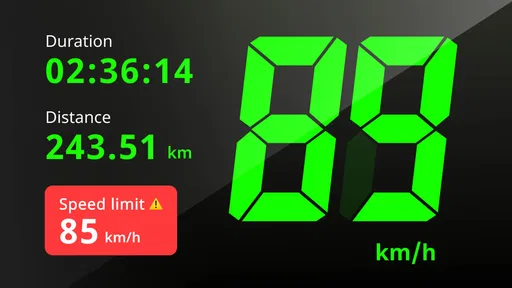
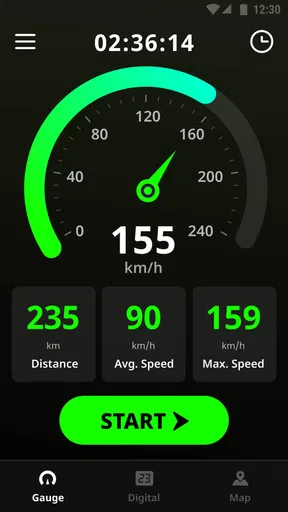
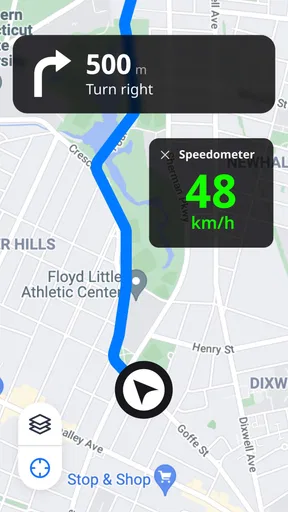
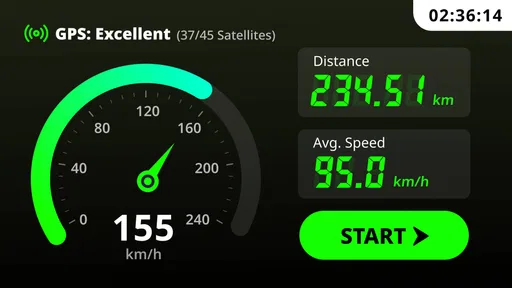
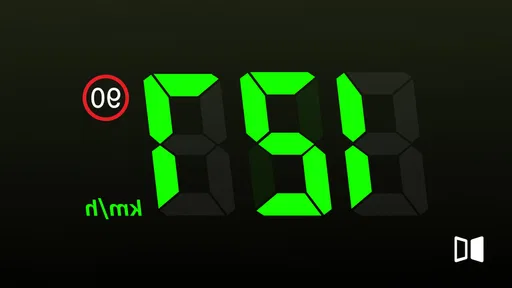
Once you fire up the app, you’re greeted with a sleek and user-friendly interface. It’s clear that the developers put a lot of thought into making it intuitive. The main screen displays your current speed in large, easy-to-read numbers, and there’s also an odometer that tracks your total distance traveled. The color contrast is spot on, making it easy to see even in bright sunlight. I was impressed with how quickly the GPS Speedometer & Odometer locked onto my location, even on a cloudy day.
Exploring the Features
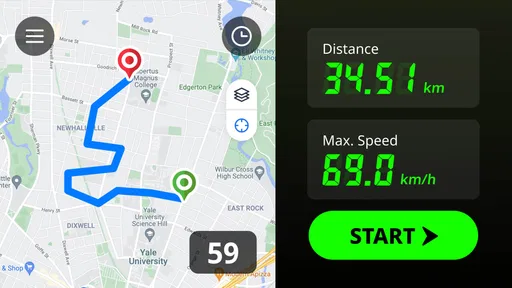
The app isn’t just a one-trick pony. It offers a variety of features that can be incredibly useful for different activities. For instance, there’s a trip meter that can be reset, which is perfect for keeping track of individual journeys. I found this handy when I wanted to measure my daily commute without affecting the total odometer reading.
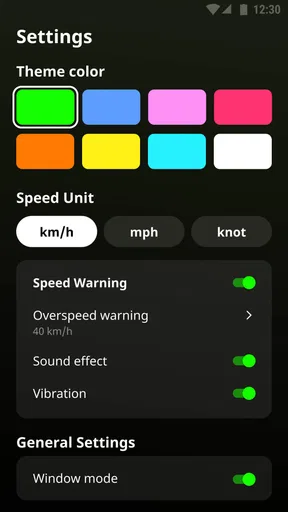
There’s also a heads-up display (HUD) mode, which projects your speed onto your windshield when placed on your car’s dashboard. This feature is super helpful for nighttime driving, allowing you to keep your eyes on the road. And if you’re into customization, the app lets you tweak settings like speed units (mph or km/h), background colors, and more.
Accuracy and Performance
Now, you’re probably wondering about the accuracy of this app. I tested it alongside my car’s built-in speedometer, and the readings were impressively close. It seems the app uses your phone’s GPS data effectively to provide accurate speed readings. Just make sure you have a good data connection, as the app relies on GPS signals to function properly.
In terms of performance, GPS Speedometer & Odometer runs smoothly without any noticeable lag or crashes. Whether I was sprinting through the park or stuck in traffic, the app kept up with me without a hitch.
Battery and Data Usage
One concern with GPS-based apps is their potential to drain battery life. Thankfully, this app is pretty efficient. After using it for a couple of hours, I noticed only a slight decrease in battery percentage. Just be cautious if you’re on a long trip without access to a charger.
As for data usage, it’s minimal. The app doesn’t require a constant data connection, which is great if you’re in an area with spotty coverage or if you’re trying to save on data.
Room for Improvement?
While GPS Speedometer & Odometer is quite solid, there’s always room for improvement. I’d love to see some integration with fitness apps to track speed and distance during workouts. Additionally, voice prompts for speed alerts would be a neat feature to add.
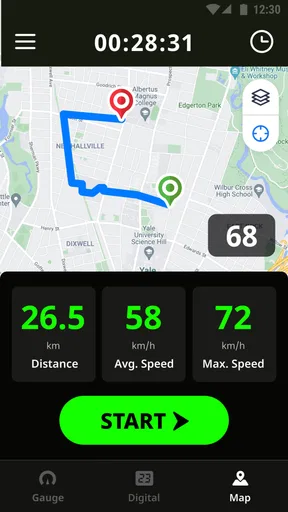
Another potential addition could be a logging feature that lets you save your trips and view them later. It would be cool to have a history of my travels, complete with maps and stats.
Final Thoughts
Overall, I’m pretty impressed with what GPS Speedometer & Odometer has to offer. It’s a reliable and versatile tool for anyone curious about their speed and distance, whether you’re driving, biking, or running. The accuracy, combined with its user-friendly design, makes it a standout choice in a crowded market. Plus, it’s free to download, so there’s no harm in giving it a try. Just remember to keep your eyes on the road, not on your phone, while using it!
Want to give it a whirl? You can download it from your favorite app store and see for yourself. Happy travels!
Privacy and Permissions
See what permissions an app requests and how it handles your data.
- Location
- approximate location (network-based), precise location (GPS and network-based)
- Photos/Media/Files
- read the contents of your USB storage, modify or delete the contents of your USB storage
- Storage
- read the contents of your USB storage, modify or delete the contents of your USB storage
- Other
- view network connections, full network access, draw over other apps, control vibration, prevent device from sleeping
Verdict
Strengths of GPS Speedometer & Odometer
- Accurate real-time speed tracking.
- User-friendly and intuitive interface.
- Customizable display options.
- Works offline without data usage.
- Supports both metric and imperial units.
Limitations of GPS Speedometer & Odometer
- Battery drain with prolonged use.
- Ads can be intrusive at times.
- Limited free features; paid upgrade needed.
- Occasional GPS signal loss.
- Incompatible with older devices.
Similar Picks in This Category
View All
Uber - Request a ride
Uber Technologies, Inc.4.7


inDrive. Rides with fair fares
® SUOL INNOVATIONS LTD4.8

Yandex Go: Taxi Food Delivery
Mikromobilnost LLC Belgrade4.8

Bolt: Request a Ride
Bolt Technology4.8

Rapido: Bike-Taxi, Auto & Cabs
Rapido Bike Taxi4.8
Frequently Asked Questions
What features does the GPS Speedometer & Odometer app offer?
The GPS Speedometer & Odometer app provides real-time speed tracking using GPS technology. It includes features like trip tracking, distance measurement, speed alerts, and customizable units (mph, km/h). The app also offers a heads-up display (HUD) mode, making it convenient for night driving. It's designed for both vehicles and bikes, enhancing its versatility.
Is the GPS Speedometer & Odometer app accurate?
The app relies on your device's GPS to track speed and distance, which is generally accurate under open sky conditions. However, accuracy may decrease in areas with poor GPS signal, such as tunnels or dense urban environments. For best results, ensure your device has a clear view of the sky and regularly update the app.
Does the GPS Speedometer & Odometer app work offline?
The app primarily uses GPS for speed tracking, which requires an active GPS signal but not necessarily an internet connection. However, some features, like map integration or updates, might need online access. Make sure to check the specific requirements of the app and download necessary maps or data beforehand if planning to use it offline.
How does the app affect battery life and data usage?
GPS Speedometer & Odometer apps can be battery-intensive due to continuous GPS tracking. It is advisable to use a car charger during long trips. While GPS doesn’t consume data, additional features like map services can increase data usage. Users should monitor their device’s battery and data usage during prolonged app sessions.
Is the GPS Speedometer & Odometer app customizable?
Yes, the app offers several customization options. Users can adjust units of measurement, set speed limits, and personalize display themes to suit their preferences. The HUD feature can also be customized for better visibility. These settings allow for a tailored user experience, making it adaptable to different user needs and preferences.
